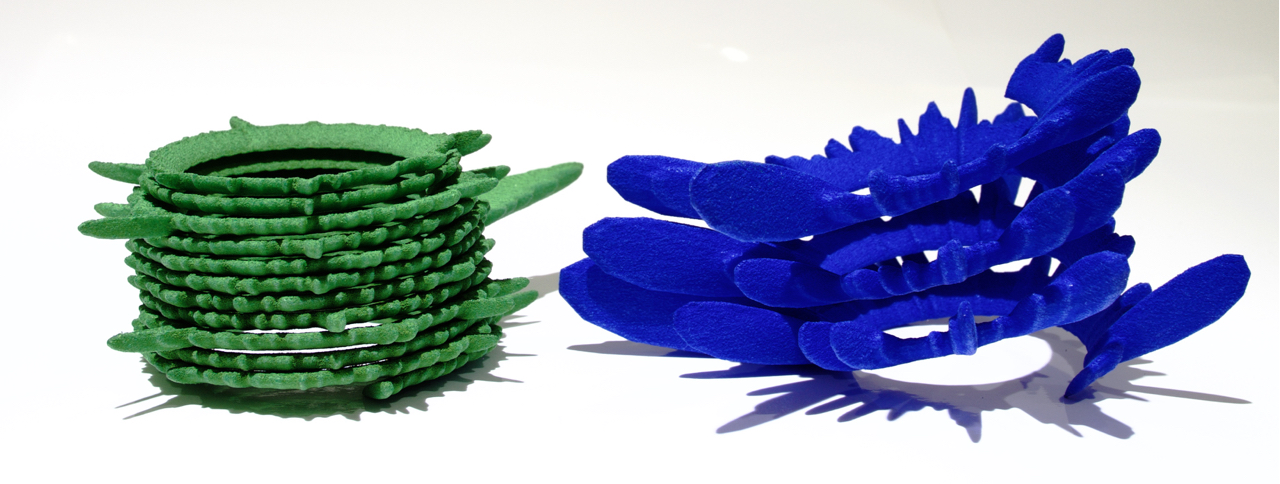
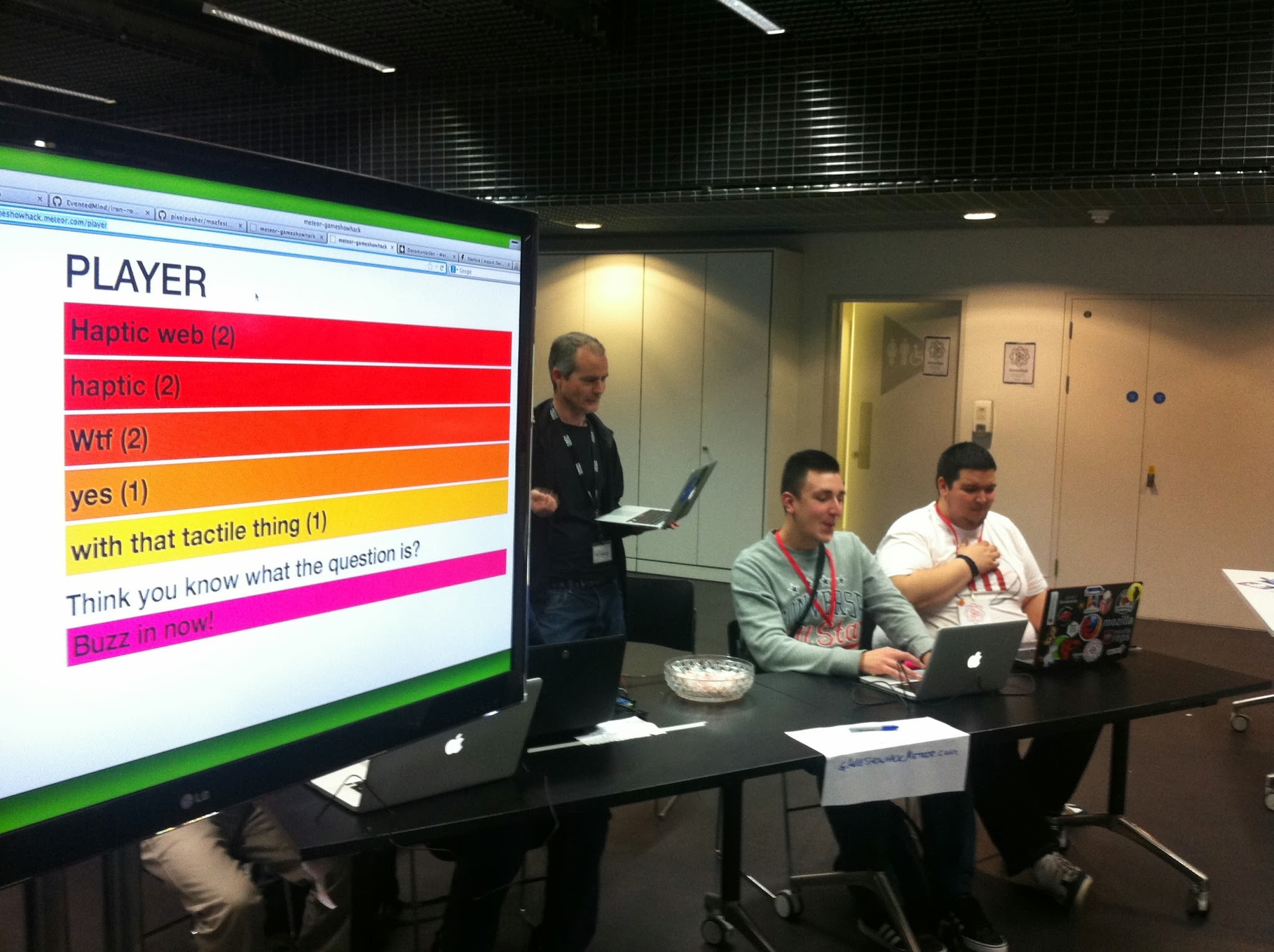
Here is the program for our installation at the Kinetica Art Fair 2012, projected on the back wall:
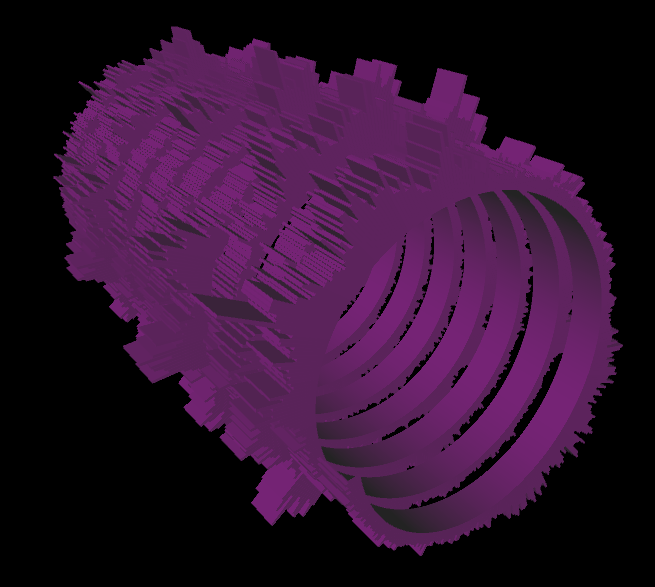
This is a bit silly – been playing with Processing, getting into the deep geometric capabilities of toxiclibs and GLGraphics and Android.
It started as a new VJ… er, “pixelist” app for live performance for a jam session celebrating our friend Olivier Ruellet’s life and untimely death last year from what we think was swine flu.
Now, I made an Android version… this technique will come to life a bit later as part of a”Build Your Own Superhero” workshop I’m co-developing with CoDesign.
Processing code (for Android only):
// Draw Particle Toads by pixelpusher
// <info@pixelist.info>
// Based on examples in the public domain by
// Andres Colubri and toxi (Karsten Schmidt)
//
// Uses toxiclibs - http://toxiclibs.org
import toxi.geom.*;
import toxi.geom.mesh.*;
import toxi.math.*;
TriangleMesh triMesh;
Vec3D prev=new Vec3D();
Vec3D p=new Vec3D();
Vec3D q=new Vec3D();
Vec2D rotation=new Vec2D();
boolean mouseWasDown = false;
float MIN_DIST = 7.0f;
float weight=0;
LinkedList<PShape3D> models;
PImage tex;
void setup()
{
size(800, 400, A3D);
orientation(LANDSCAPE);
models = new LinkedList<PShape3D>();
triMesh =new TriangleMesh("mesh1");
// any particle texture... small is better
tex = loadImage( "whitetoady.png");
}
void draw()
{
background(0);
// rotate around center of screen (accounted for in mouseDragged() function)
translate(width/2, height/2, 0);
rotateX(rotation.x);
rotateY(rotation.y);
// draw mesh as polygon (in white)
drawMesh();
// draw mesh unique points only (in green)
drawMeshUniqueVerts();
//hint(DISABLE_DEPTH_MASK);
screenBlend(ADD);
hint(DISABLE_DEPTH_TEST);
// now models
for (PShape3D model : models)
{
shape(model);
model.loadVertices();
for (int n = 0; n < model.vertices.length; n+=3)
{
model.vertices[n] -= (0.0f- model.vertices[n])*0.03f;
model.vertices[n+1] -= (0.0f - model.vertices[n+1])*0.03f;
model.vertices[n+2] -= (0.0f - model.vertices[n+2])*0.03f;
}
model.updateVertices();
}
//hint(ENABLE_DEPTH_MASK);
// udpate rotation
rotation.addSelf(0.014, 0.0237);
}
PShape3D makeModel(TriangleMesh mesh)
{
PShape3D model = null;
// get unique x,y,z vertices, use with indices
float[] triVerts = mesh.getUniqueVerticesAsArray();
if (triVerts.length > 0)
{
println("Got " + triVerts.length/3 + " verts");
int[] faces = mesh.getFacesAsArray();
model = (PShape3D)createShape(triVerts.length/3, PShape3D.newParameters(POINT_SPRITES, DYNAMIC));
model.setColor(color(255));
// TESTING - MAKE SURE WE HAVE CORRECT VERTS
model.loadVertices();
for (int n = 0; n < triVerts.length; n++)
{
model.vertices[n] = triVerts[n];
}
model.updateVertices();
//model.initIndices(faces.length);
//model.updateIndices(mesh.getFacesAsArray());
//
// for (int n=0; n<triVerts.length; n += 4)
// {
// println("TRIVERT["+n+"]="+ triVerts[n] +","+triVerts[n+1] +","+triVerts[n+2]);
// }
//
// Handle colors
//
model.loadColors();
for (int i=0; i<triVerts.length/3; ++i)
{
float f = max( float(i) / (triVerts.length/3), 0.15 );
model.colors[4 * i + 0] = (1 - f) * 0.98 + f;
model.colors[4 * i + 1] = (1 - f) * 0.75 + f;
model.colors[4 * i + 2] = (1 - f) * 0.26 + f;
model.colors[4 * i + 3] = 0.8f;
}
model.updateColors();
// float pmax = model.getMaxPointSize();
//println("Maximum sprite size supported by the video card: " + pmax + " pixels.");
model.setTexture(tex);
// Setting the maximum sprite to the 90% of the maximum point size.
//model.setMaxSpriteSize(0.6 * pmax);
// Setting the distance attenuation function so that the sprite size
// is 20 when the distance to the camera is 400.
model.autoBounds(false);
model.setSpriteSize(10, 400, QUADRATIC);
}
return model;
}
void vertex(Vec3D v) {
vertex(v.x, v.y, v.z);
}
void mouseReleased()
{
// MAKE A MODEL FROM CURRENT TRI MESH
PShape3D model = makeModel (triMesh);
if (model != null)
models.add( model );
if (models.size() > 10)
{
PShape3D first = models.removeFirst();
first.delete();
}
// clear tri mesh
triMesh.clear();
}
void mousePressed()
{
}
void mouseDragged()
{
// get 3D rotated mouse position
Vec3D pos=new Vec3D(mouseX-width/2, mouseY-height/2, 0);
pos.rotateX(rotation.x);
pos.rotateY(rotation.y);
// use distance to previous point as target stroke weight
weight+=(sqrt(pos.distanceTo(prev))*2-weight)*0.1;
// define offset points for the triangle strip
//println("weight " + weight);
//if (weight < MIN_DIST && triMeshes.size() > 0)
if (true)
{
Vec3D a=pos.add(0, 0, weight);
Vec3D b=pos.add(0, 0, -weight);
// add 2 faces to the mesh
triMesh.addFace(p, b, q);
triMesh.addFace(p, a, b);
// store current points for next iteration
prev=pos;
p=a;
q=b;
}
}
void drawMesh() {
noStroke();
fill(255,80);
beginShape(TRIANGLES);
// iterate over all faces/triangles of the mesh
for (Iterator i=triMesh.faces.iterator(); i.hasNext();) {
Face f=(Face)i.next();
// create vertices for each corner point
vertex(f.a);
vertex(f.b);
vertex(f.c);
}
endShape();
}
void drawMeshUniqueVerts() {
// noStroke();
stroke(0,255,0);
strokeWeight(4);
beginShape(POINTS);
// get unique vertices, use with indices
float[] triVerts = triMesh.getUniqueVerticesAsArray();
for (int i=0; i < triVerts.length; i += 3)
{
vertex(triVerts[i], triVerts[i+1], triVerts[i+2]);
}
endShape();
}
void keyPressed()
{
switch(key)
{
case 'x':
//mesh.saveAsOBJ(sketchPath("doodle.obj"));
//mesh.saveAsSTL(sketchPath("doodle.stl"));
break;
case ' ':
// now models
for (PShape3D model : models)
{
model.delete();
}
models.clear();
break;
}
}
A few students of mine have been wondering about checking how much memory is being used on Android (using Processing) for their games, so I came up with a simple sketch that uses some built-in Android Debug features (reference here):
Just wanted to announce that I’ve updated the ARToolKit block to use much better methods for detecting and loading patterns and also integrating proper 3D positioning, as people have asked for.
The newest version should be here: http://code.google.com/p/artoolkitplus-for-cinder/downloads/list
I’ve finally had a moment to release this (much better) version of ARToolkitPlus for Cinder, for both Windows and OS X.
Get it here: http://code.google.com/p/artoolkitplus-for-cinder/
![]()
I’ve been thinking recently about Processing and animation. One of the really nice things about it is that it lets you build up visuals from the ground up, from fairly minimal amounts of code and basic shapes. Contrast this with Flash (ActionScript 3.0) where immediately you are using complex objects with a display hierarchy built-in.
Of course, it’s nice to eventually got to some sort of display hierarchy, where you have a system in place for rendering out visual “objects.” At some point, you don’t want to draw rectangles anymore, you really want to start mucking about with complex combinations of shapes and movement. You could graduate towards a real, industrial-strength rendering engine, something like the open source games engine AndEngine (for Android), or something even more powerful and confusion, but there’s not a lot of middle ground. (If there is, please share!)
What I’ve tried to do here is start up a compromise between an engine like AndEngine and, well, the pure basics of drawing things to the screen pixel-by-pixel. I’m calling it Processing-Scenegraph,” and before you jump all over me and tell me it’s not a real scenegraph, well, I know… a proper scenegraph would have transformation nodes and color nodes and probably a compiler that stored local/global transformations in each node and updated when nodes were added/removed. Etc etc etc. But this version is designed for teaching, to be straightforward but also useful to those students starting out with games design and programming, and artists looking to make more complex animations using programming.
Hopefully you’ll find it useful, and please send feedback and post comments, it’s an open source project, after all!
I’ve been working on an interesting project for early 2011 using augmented reality (AR) and Animata (from Kitchen Budapest). I’ve looked at using Processing for it, and Flash, but nothing really speaks to me as far as speed and reliability and flexibility of development. So I looked into OpenFrameworks and ARToolKitPlus, which was recommended to me today in a total coincidence involving our flat’s heater breaking and forcing me to work in the London Hackspace. So, I randomly and luckily met Tasos Varoudis, who teaches at UCL and knows a lot about AR, and was kind enough to help me find the required code to get started. Which was not easy! All the links I could find were either broken or half-working.
So, dear reader, in the spirit of openness, I offer you a download of the ofxARToolKitPlus addon and a working example (you will need to modify it slightly for Windows and Linux – see the comment in setup() in testApp.cpp). This works with the newest OpenFrameworks version 0062.
Happy Reality Augmenting!
Happy Holidays! It’s been ages since I posted anything, mostly because I’ve been so busy teaching at UCA Farnham and Openlab Workshops.
Here’s a little something for the holidays. The code is below, and the source image was courtesy of Jan Tik on Flickr.
Today (for Creative Pact 2010) I took my little game engine and created a fully working game out of it. I finished some more assets – rocks and shells and things you find near the water, traced from some pictures I took on the banks of the Thames. The goal is to collect the buried treasure by clicking on it, as fast as possible. It’s a start – the next version will have shake sensors and other moving characters you need to click on.
Writing a game, you realize that the coding part of the time is tiny compared to the “figuring out what the heck the game should do and creating all the visual assets” time. Especially the visual assets, mostly because I prefer to draw them by hand and not take from other sources. I like that cartoony aesthetic in a video game, as you can probably tell.
If you have an android phone, you can install it from here.
I have this idea of doing a game where you dig in the sand and find buried treasure. Trying to get it done in a day is tricky… I basically finished making some assets today (only have about 1.5 hrs or so to do it in). Here are a few cute lil’ images I whipped up in Illustrator. Please be aware that, as of now, they are copyright Evan Raskob 2010 (and not free – yet).